Live Stream Clipping Software for Events: A Buyer's Guide
Plenty of tools promise clips from your live stream. For events, the label hides three different products: creator tools that clip a recording afterwards, broadcast platforms where editors clip by hand, and live session editors that cut, name and deliver every session while the event runs. This guide explains the difference and gives you ten questions to test any live stream clipping software for events.
The three types of live stream clipping software
1. Post-hoc AI clippers
These tools take a recording, or chunks of a live stream, and use AI to find short, shareable moments. They are built for creators and marketing teams repurposing webinars, podcasts and streams. Examples include OpusClip and Restream Clips; we compare them in detail in OpusClip for conferences and Restream Clips for events.
Good for: a handful of recordings and short-form social clips.
2. Broadcast clipping platforms
Cloud production platforms let editors watch a live feed and clip highlights in real time. They are built for broadcasters, sports and news, often with per-hour pricing. See our Grabyo comparison.
Good for: one main feed with a dedicated social desk.
3. Live session editors
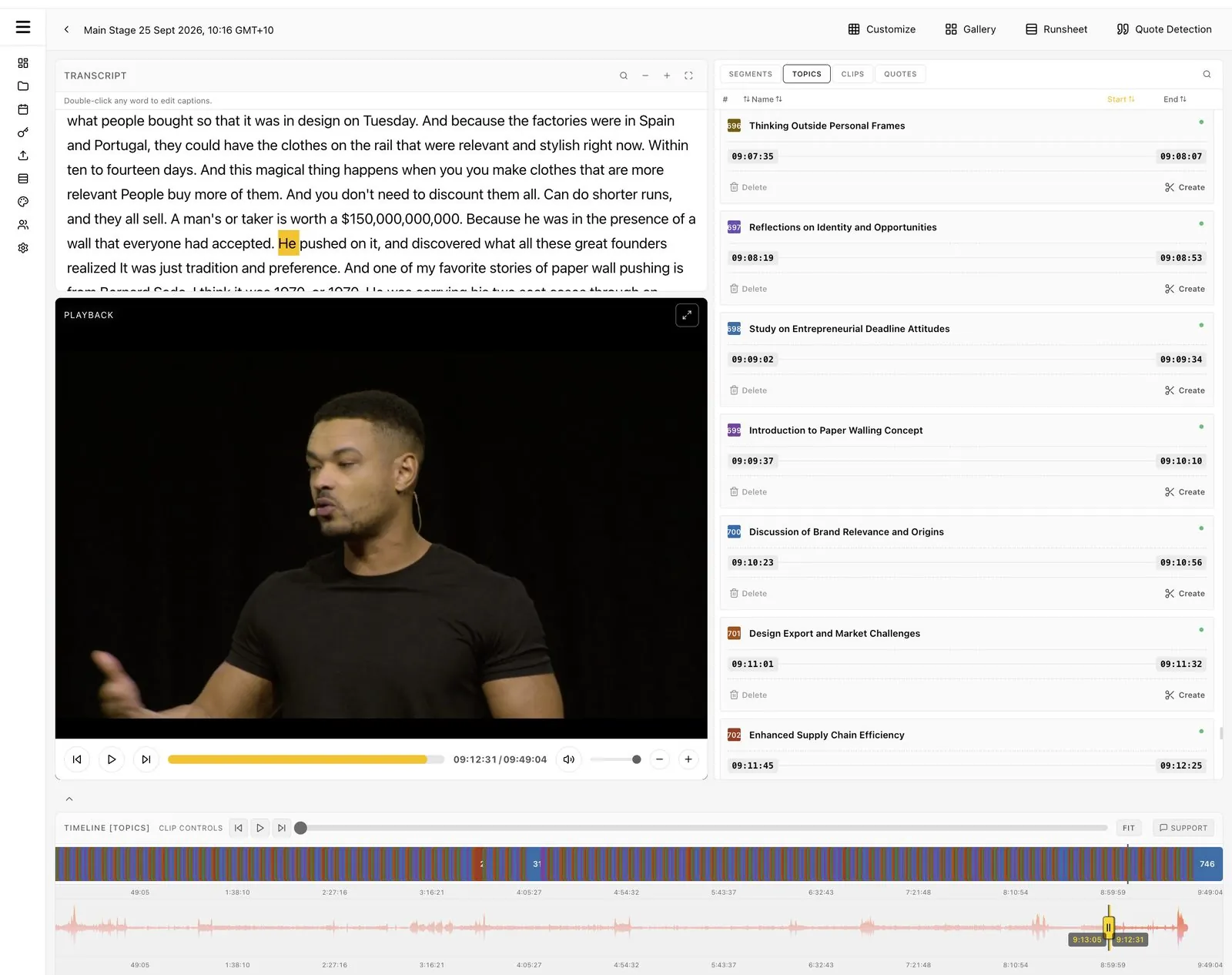
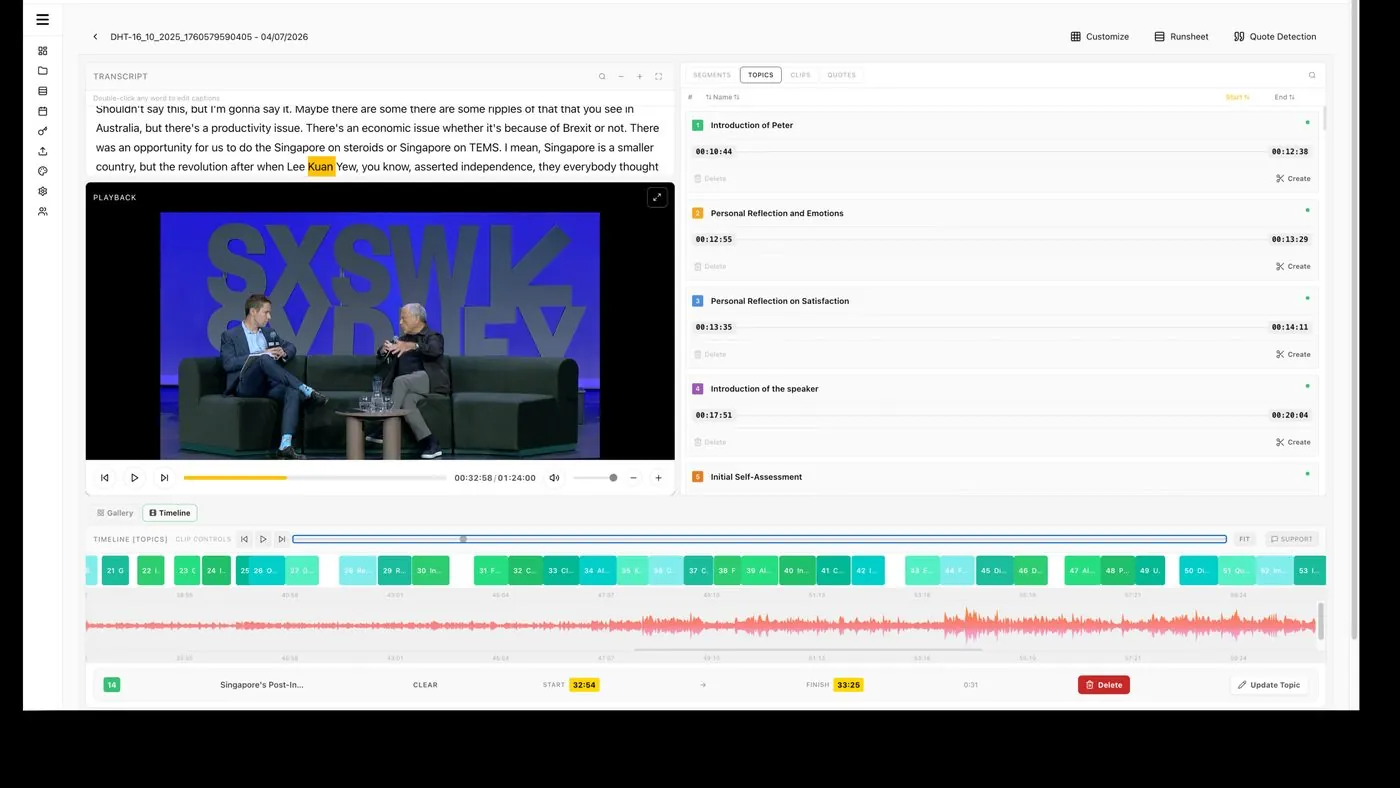
These tools connect to each room's stream and edit the event as it happens: finding where each session starts and ends, naming it from the agenda, suggesting clips and quotes, and delivering branded videos during the event. Eventcut is in this group.
Good for: conferences, associations and corporate events with several rooms and a small team.
What events need that streams don't
An event is not a stream with a start and end. It has structure, and good software uses it.
- An agenda. Sessions should be named from your runsheet, not "Clip 14."
- Session boundaries. Speaker changes and applause mark where talks start and end.
- Full sessions as well as clips. Speakers and members want the whole talk.
- Several rooms at once. Each room needs its own stream and its own timeline.
- People to deliver to. Speakers, sponsors and clients each need their own branded videos.
Ten questions to ask any vendor
- Does it work from the live stream, or from a recording after the event?
- How long from a session ending to a published video? Ask for a measured figure.
- Which encoders and protocols does it accept? RTMPS covers OBS, vMix and most hardware; SRT matters for remote contributors.
- Does it find session start and end points automatically?
- Can it name sessions from my agenda?
- Does it deliver full session videos as well as short clips?
- Can I cut a clip from the live transcript while the speaker is talking?
- How are vertical and square versions made? Automatically, following the speaker, or by hand?
- Can each event, client or sponsor have its own branding?
- How is it priced? Per clip, per credit, per running hour, or per streaming hour with unlimited clips?
How Eventcut answers the ten questions
| Question | Eventcut |
|---|---|
| Live or recording? | Live stream, room by room; uploads also supported |
| Session end to published video | 10 minutes, measured |
| Encoders and protocols | Any RTMPS encoder; SRT on Enterprise |
| Session boundaries | Found from transcript, audio waveform and video frames |
| Agenda | Sessions named from your runsheet (CSV) |
| Full sessions | Yes, branded, within minutes of each talk |
| Clip from live transcript | Yes, select the words |
| Vertical and square | Automatic 9:16 and 1:1 for clips under six minutes, following the speaker |
| Branding | Organization Brand Kit; per-event kits and white label on Enterprise |
| Pricing | Pro US$79.95 a month for 10 hours, unlimited clips; Enterprise on seats and event hours |
Live stream clipping software for events, at a glance
| Post-hoc AI clippers | Broadcast clipping | Live session editors | |
|---|---|---|---|
| Starts from | A recording | A live feed, clipped by editors | Each room's live stream |
| Main output | Short clips | Highlights | Sessions, clips, quotes, captions |
| Agenda-aware | Not in the docs we reviewed | Not in the docs we reviewed | Yes |
| Team needed | One marketer | A clipping desk | One person for several rooms |
Try it on your next event
The best test is your own footage. Run one room through a live session editor and measure the time from session end to published clip. Start with the Eventcut Pro free trial, see Enterprise for multi-room programs, or read the guide to post-event video turnaround.