Restream Clips Alternative for Events: From Recordings to Live Sessions
Restream is a popular multistreaming tool, and Restream Clips adds AI-generated short clips from your recordings. For a webinar or a weekly show, that works well. Events are different: full days of sessions, several rooms, an agenda, and speakers and sponsors who each need their own video. If that is your situation, a Restream Clips alternative for events, built around the live session rather than the finished recording, may suit you better.
How Restream Clips works
Restream's help center describes AI Clips as short highlights made from your recordings for TikTok, Instagram Reels, YouTube Shorts and other platforms. Clips are generated from existing recordings, and the article lists Studio recordings between 10 minutes and 3 hours.
Its general Clips FAQ adds more detail:
- The AI uses spoken content to find engaging moments, and handles framing and captions.
- Recordings over 10 minutes can generate clips automatically, and you can also create clips from YouTube, OneDrive, Dropbox or Google Drive links.
- Downloaded clips are 1080p, and clips can be posted directly to YouTube Shorts, Facebook Reels, TikTok, LinkedIn, X, Instagram Reels and Rumble.
- Plans are named by clip count (50, 100 and 250 clips); the 50 and 100 plans support videos up to 3 hours.
Restream also states that it doesn't train AI models on your content.
Where events need more than clips from a recording
Event days are longer than one recording
A conference room often runs six or more hours a day. With a 3-hour limit on the smaller plans, a full day in one room may need to be split before clips can be made.
Clips come after the recording
Restream Clips works from recordings. For an event, that means the best moments of a morning keynote appear after the recording is processed, not while the speaker is still in the building.
Sessions need names, owners and full videos
Event teams deliver full session videos to speakers, member libraries and sponsors, not only shorts. We did not find runsheet import, session naming or speaker delivery in Restream's Clips documentation.
Clip counts add up
Event content is high-volume: several clips per session, across every room and day. Plans priced by clip count are worth checking against your program before you commit.
How Eventcut works for events
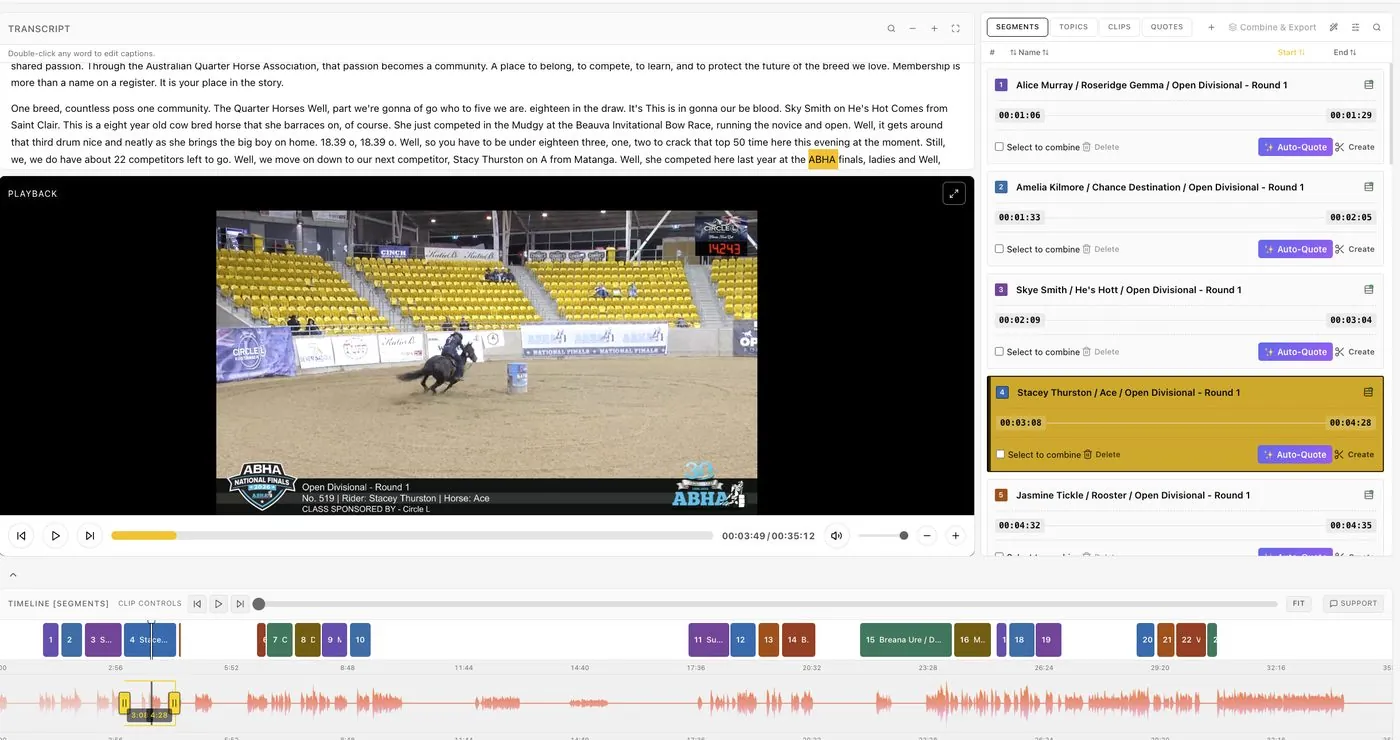
Eventcut edits from each room's live stream, so clips and sessions exist while the event is running.
- Stream from your encoder. OBS, vMix, Wirecast, Blackmagic or AJA over RTMPS, one stream key per room; SRT on Enterprise.
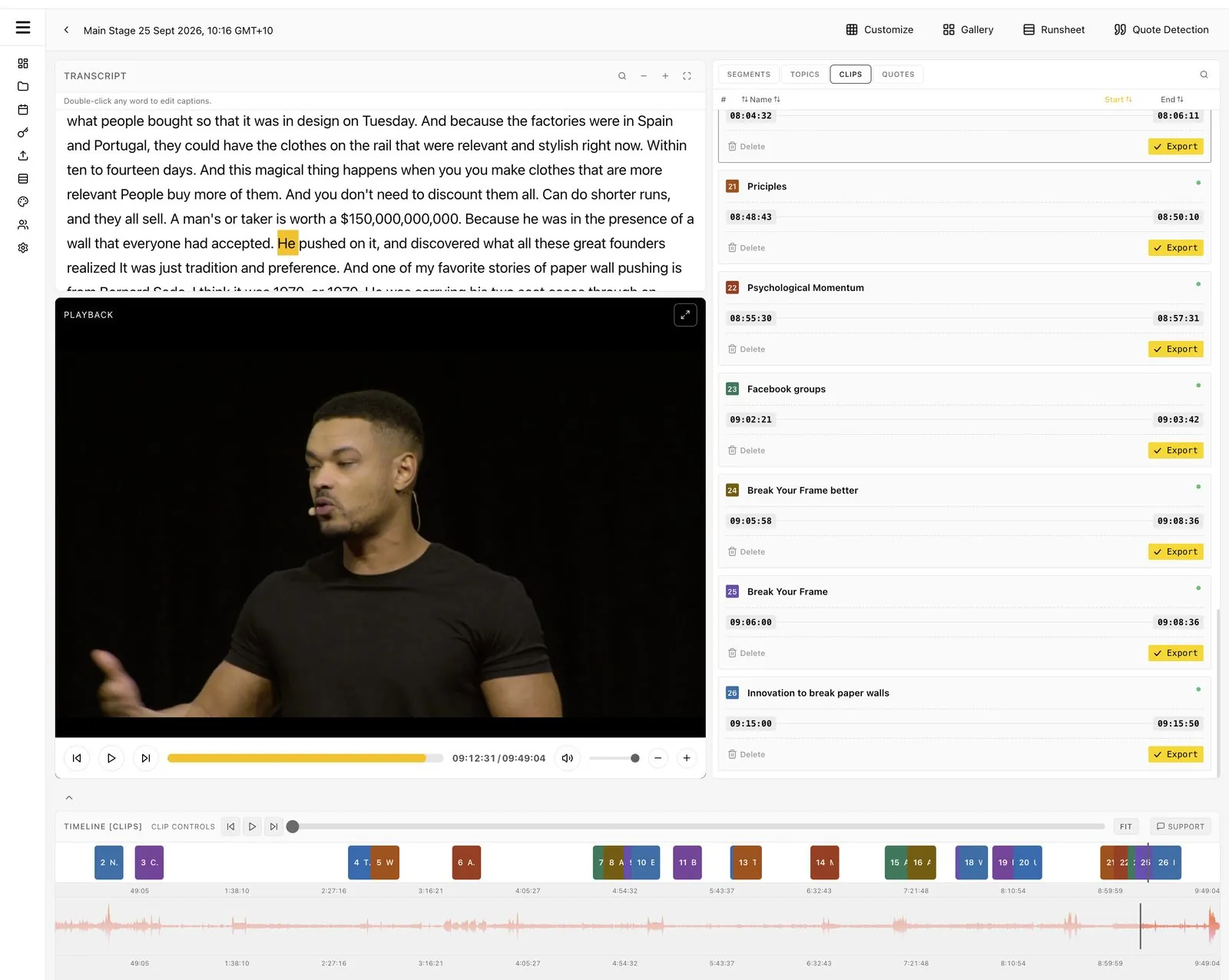
- Full days, every room. Sessions are found as they happen, using the transcript, audio waveform and video frames, and named from your runsheet.
- Clips during the session. Select words in the live transcript to cut a clip; more are suggested as each session ends.
- Quotes from a whole day. Quote Detection ranks the most quotable lines across a full day of recording.
- Unlimited clips. You pay for streaming or uploading time; clips and session videos are unlimited.
- Branded and delivered. Brand Kit at export, 9:16 and 1:1 reframing, and delivery to YouTube, Google Drive, Wowza, JW Player, speakers and sponsors.
Restream Clips vs Eventcut for events
| Restream Clips | Eventcut | |
|---|---|---|
| Source | Recordings (and links to stored videos) | Each room's live stream, or an uploaded recording |
| Timing | After the recording | During the session, and minutes after it ends |
| Length | Up to 3 hours on 50- and 100-clip plans | Full event days |
| Outputs | Short clips with captions | Session videos, clips, quotes, transcripts and captions |
| Session naming | Not described in Clips docs | Named from your runsheet |
| Speakers and sponsors | Not described in Clips docs | One-click speaker delivery (Enterprise), sponsor overlays |
| Pricing basis | Clip-count plans | Streaming or uploading hours; clips unlimited |
Restream details come from its help center as of November 2026.
Using both
If you already multistream with Restream, you can keep it for distribution and send the same encoder output to Eventcut with a second stream key, depending on your encoder. Eventcut handles the session videos and event clips; Restream keeps doing what it does well.
Try it at your next event
Run one room through Eventcut with the 14-day Pro free trial, or see Enterprise for multi-room programs. Compare it with Grabyo for conferences, or read the guide to post-event video turnaround.