The Multi-Room Dilemma: How to Automate Conference Video Delivery Without a 20-Person Crew
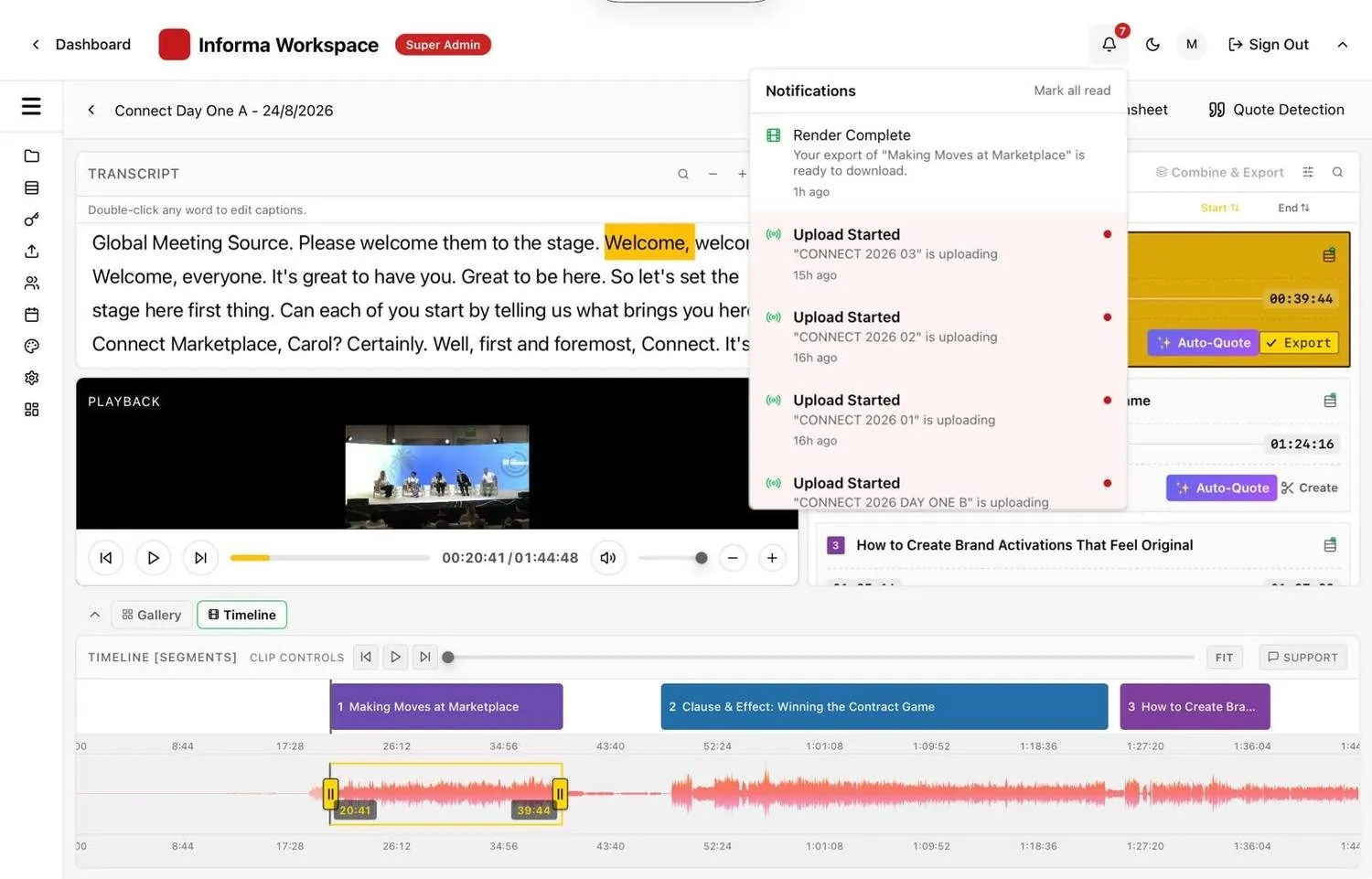
Multi-room event video production usually means one editor per room, and a backlog that lasts weeks after the event. The more rooms you add, the more people, drives and hours you need. The way out is to edit every room from its live stream in parallel, so a small team checks and sends sessions instead of cutting them.
Why multi-room event video production breaks the traditional model
A single-stage event is a manageable video job. A multi-room program is a logistics problem.
The math of parallel tracks
Take a common format: four rooms over three days. That is 12 room-days. At six hours of sessions per room per day, you have 72 hours of footage to trim, caption, brand and reformat into vertical and square versions.
Each of those hours needs the same treatment as the keynote, because speakers in the smallest breakout still expect their session.
Every room adds people and handoffs
The traditional answer is a crew per room: a camera operator, someone recording, and an editor waiting for the files. Footage then moves between drives and editors, and the chance of a missing session grows with every handoff.
Pixel8 Production estimates that a two-camera shoot over three days can produce 500 GB or more. Multiply that by four rooms and file handling becomes a job of its own.
Teams are small
Bizzabo's 2026 benchmark reports that 45% of event teams have one to three people. A three-person team cannot staff an edit bay per room.
How to automate conference video delivery across rooms
The fix is architectural: stop treating each room as a pile of files and treat it as a live stream that is edited while it runs.
Step 1: Give every room its own stream key
Each room's encoder (OBS, vMix, Wirecast, Blackmagic, AJA or NewTek) streams to its own Eventcut stream key over RTMPS. On Enterprise, remote speakers can join over SRT. Cameras, switchers and show design stay as they are.
Step 2: Load a runsheet for every room
Upload each room's agenda as a CSV. Eventcut tidies the rows for you to confirm and uses them to name each session and match it to its speakers.
Step 3: Let sessions be found in parallel
While every room streams, AI reads the transcript, audio waveform and video frames, using applause and speaker changes to find where each session starts and ends. Every room is processed at the same time.
Step 4: Monitor every room from one dashboard
One person can watch every stream key, check boundaries and fix a start or end point by dragging the timeline, clicking a word or typing a timecode. With a runsheet applied, checking a six-hour day typically takes about 10 minutes.
Step 5: Deliver during the event
Branding is applied at export from your Brand Kit, or from a per-event kit for each client. Finished sessions go cloud-to-cloud to YouTube, Vimeo, AWS S3 or your client's own accounts, and on Enterprise each speaker receives their session in one click.
Who does what on the day
Multi-room production still needs people; it needs them in different places.
| Role | Traditional multi-room crew | With live editing |
|---|---|---|
| AV team | Records each room, hands over drives | Adds one stream key per room; nothing else changes |
| Editors | One per room, cutting after the event | Focus on the sizzle reel and creative work |
| Event or marketing lead | Waits for files | Checks sessions, shares clips during the event |
| Room manager | Not involved in video | On Enterprise, can run a single stream key without admin access |
Roles on Enterprise (Admin, Manager, Editor, Viewer and Speaker) decide who can create, view, download and share.
Multi-room event video production, by the numbers
Here is the same four-room, three-day event both ways, using Eventcut's own figures.
- Footage: 72 hours of sessions across 12 room-days.
- Checking time: about 10 minutes per six-hour day, so about 2 hours for the whole event.
- Turnaround: 10 minutes from session end to published clip.
This is an illustration based on six hours of sessions per room per day and a runsheet for every room, not a customer result. The calculator on our home page lets you change rooms and days.
What to prepare before your next multi-room event
- A stream key per room, named after the room (Stage 1, Breakout A).
- A runsheet per room per day, with breaks and networking removed.
- Brand kits for the event and any sponsors or clients.
- Integrations set up on the Event, using your or your client's credentials.
- A test stream from each encoder the day before.
Scale without growing the crew
Multi-room programs do not need more editors; they need every room edited at once. See how it works on Eventcut Enterprise, read about the five event video production challenges, or start with the guide to post-event video turnaround.