5 Event Video Production Challenges Keeping Event Managers Up at Night
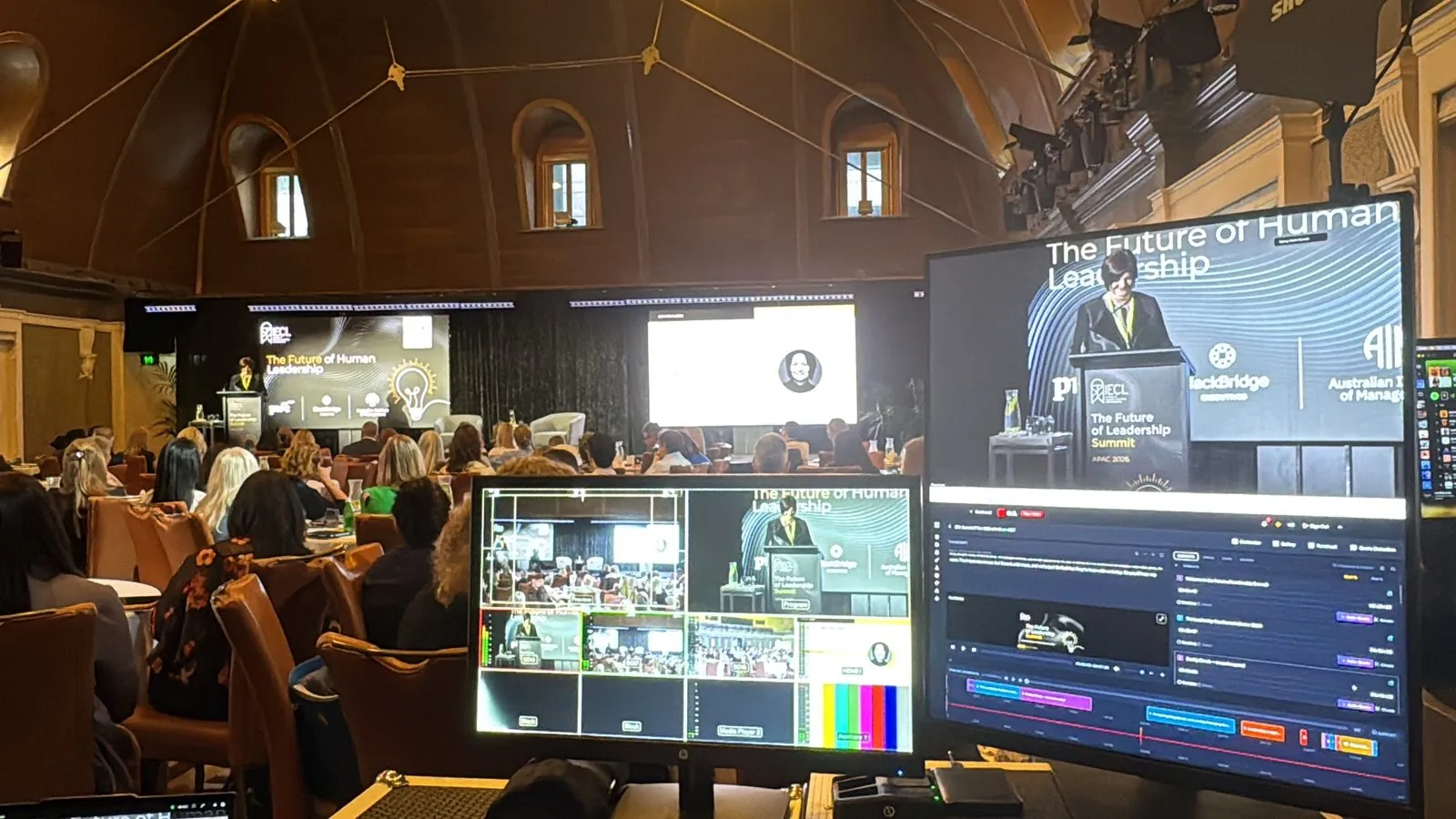
Time, budget and stakeholder pressure work against every event manager, and video is where all three collide first. A session ships late, a sponsor asks for proof, a hard drive goes missing. The same root cause sits behind most event video production challenges: footage processed one recording at a time, by people, after the event is already over.
Move the edit into the live stream and most of these problems shrink at once. Here are the five that cost event managers the most sleep, and what changes when video is edited during the event.
1. The post-event dead zone
Social conversation around an event peaks while it runs and fades soon after. Everwall describes the pattern: within about 48 hours of the close, things go quiet.
Meanwhile the session recordings are still with an editor. CinemaViva puts a standard highlight reel at three to five business days, and a full program of sessions takes longer than one reel.
The fix
Eventcut works from your live stream instead of a finished recording. Session videos are ready within minutes of each talk ending, so your team can publish while the hashtag is still active. The full guide to post-event video turnaround breaks down where the days go.
2. The multi-room staffing problem
A conference running four or five rooms at once turns video into a staffing problem before it becomes a creative one. Every breakout needs the same trim, caption and brand pass as the keynote, and the traditional answer is one editor per room.
The math adds up fast. Four rooms over three days is 12 room-days; at six hours of sessions a day, that is 72 hours of footage.
The fix
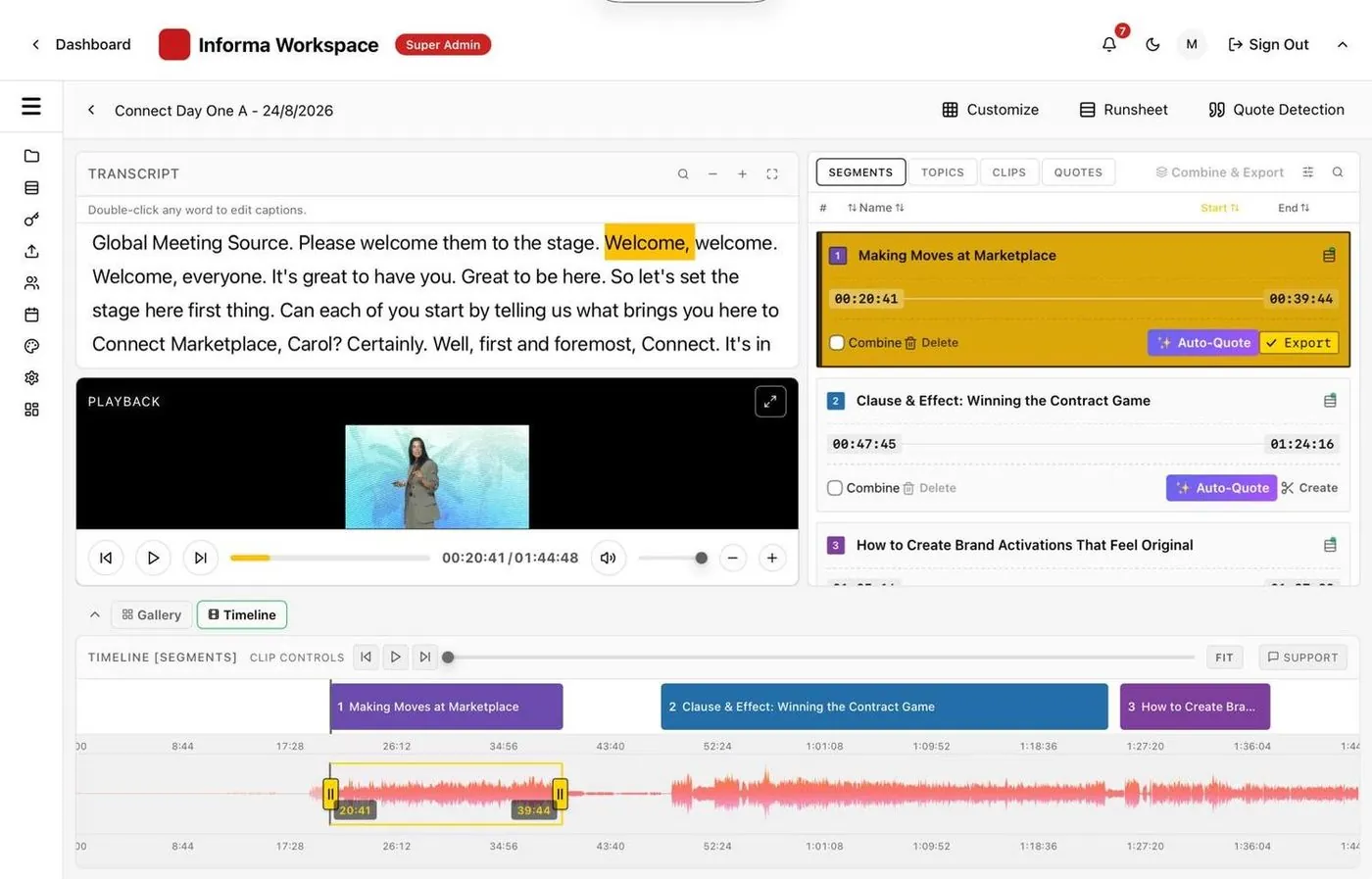
Each room gets its own stream key, and every room is monitored from one dashboard. Sessions are found and named in parallel, so your team checks boundaries and sends videos rather than editing them. Read the full breakdown of scaling multi-room production.
3. Delivering value to speakers and sponsors
Speakers ask for their session before they leave the venue, because they want to post it while the talk is fresh. Sponsors want proof their investment worked; HeySummit's sponsor report guide suggests sending the post-event report within a few days to two weeks.
Fulfilling either request by hand means searching footage, cutting clips and chasing approvals during the busiest week of the year.
The fix
Add speaker emails to your runsheet and each speaker receives their branded session in one click (an Enterprise feature). Apply a sponsor's intro, outro, logo or title card to their sessions, and search the transcripts for their name to clip each mention.
4. Post-production costs against a budget that won't move
Event budgets are scrutinized harder than almost any other line, and post-production is often the largest video cost on it. Goldcast's 2025 survey of B2B marketers found 55% still outsource post-production, and 35% said the size of their production team limited how far they could scale video. Goldcast sells video software, so treat this as vendor research.
The fix
Keep your editors for the sizzle reel and the creative work where judgment matters. Let Eventcut take the repetitive work: trimming sessions, captions, reframing to vertical and square, branding and moving files.
With a runsheet applied, checking the session boundaries of a six-hour day typically takes about 10 minutes. The cost stops scaling with footage volume.
5. Scattered files and lost moments
Event footage ends up spread across hard drives, cloud links and vendor folders that nobody fully owns. A great line from a panel six months ago is effectively lost if nobody has time to scrub through the files.
The fix
Every session is transcribed as it streams, and transcripts export as TXT or VTT. Search the transcript for a keyword, land on the moment and cut a clip from it.
Events group rooms, stages and days under one name, so next year's team can find last year's sessions. Finished videos move cloud-to-cloud to your storage instead of living on a drive in someone's bag.
How Eventcut handles all five event video production challenges
| Challenge | Traditional workflow | With Eventcut |
|---|---|---|
| Post-event dead zone | Videos arrive days later | Session videos within minutes of each talk |
| Multi-room staffing | One editor per room | One dashboard for every room |
| Speakers and sponsors | Requests handled by hand | One-click delivery and sponsor overlays |
| Cost | Editing hours scale with footage | Repetitive work automated; editors focus on creative |
| Scattered files | Drives and vendor folders | Searchable transcripts and cloud-to-cloud delivery |
The common thread
Each of these event video production challenges traces back to video processed after the event, one recording at a time. Time, budget and stakeholder pressure all get worse in proportion to how much of that work is still manual.
Editing during the event removes the shared constraint behind all five. For multi-room programs, see Eventcut Enterprise.