Event Video Marketing: Publish During the Event, Not After It
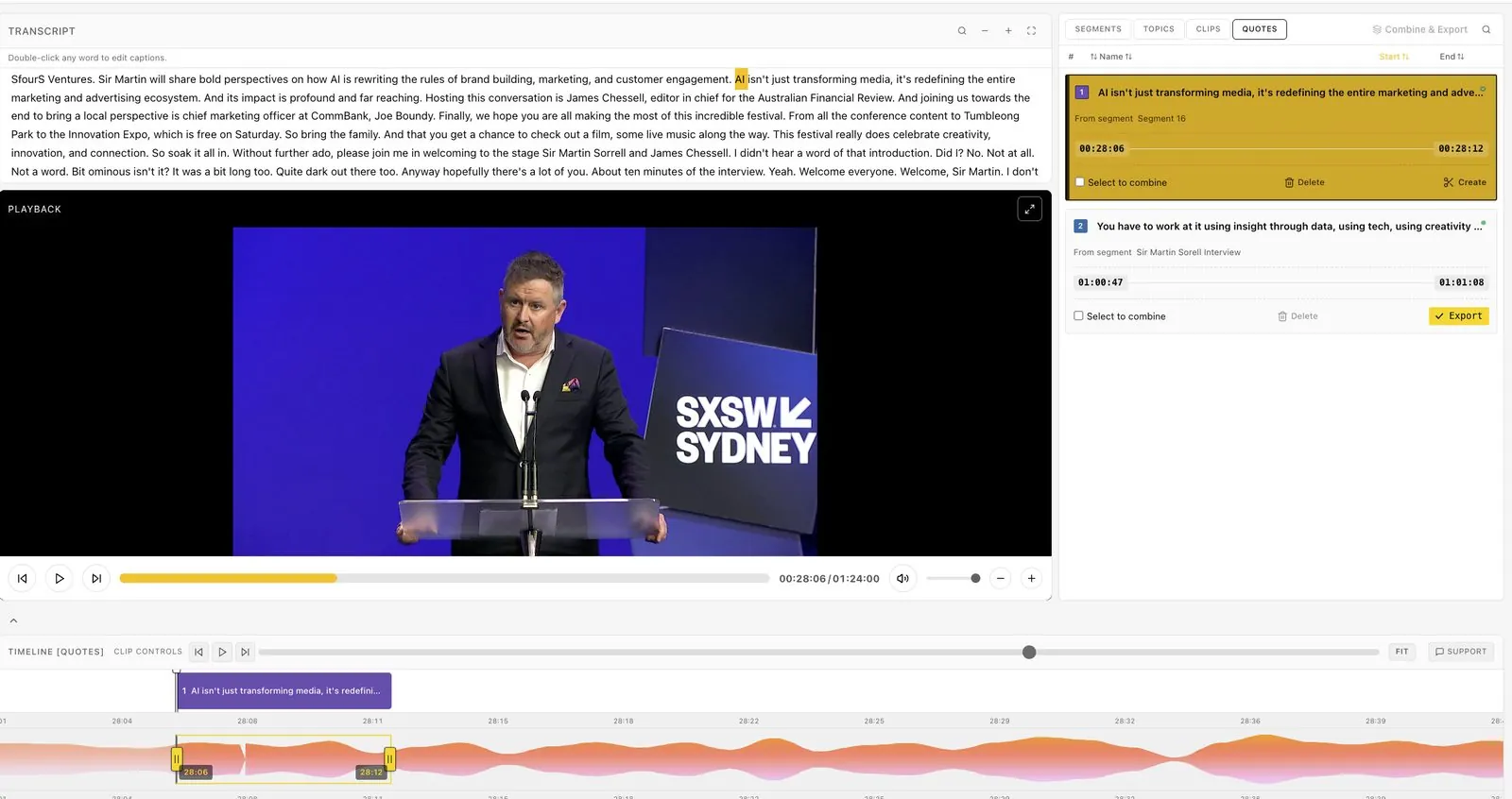
Most event video marketing starts after the event: a recap reel two weeks later, then a trickle of session uploads. By then the people who were in the room have moved on and the people who weren't have stopped paying attention. Publishing during the event fixes that, and it is now practical for small teams because the editing can happen in the live stream.
Why event video marketing belongs inside the event
Social attention moves in hours. Scott Graffius's analysis puts the average post half-life at about 23 hours on LinkedIn and 52 minutes on X. Everwall describes the post-event pattern bluntly: within about 48 hours, things go quiet.
That leaves a short window when your event is the topic. Video published inside it joins a conversation that attendees, speakers and sponsors are already having.
The during-the-event video marketing playbook
Before doors open
- Set your Brand Kit: intro, outro, logo, fonts and caption style.
- Load every room's runsheet so sessions are named as they are found.
- Agree the outputs per session: the full video, two or three vertical clips, one quote card.
- Prepare captions for your posts and the hashtags you will use.
- Tell speakers they will receive their session on the day, and when.
While each session runs
Watch the live transcript. When a speaker lands a strong line, select those words and cut a clip while they are still talking. Vertical and square versions are generated automatically for clips under six minutes.
Post the first clip before the session ends, tagged with the speaker's handle.
Minutes after each session
The full session video is ready within minutes of the talk ending: 10 minutes from session end to published clip in our measurements. Send it to the speaker, publish it to YouTube or your platform, and share a view-only link with your social team.
At the end of each day
Run Quote Detection across the day's recording to rank the most quotable lines. Use the top quotes for tomorrow morning's posts and your daily email.
In the weeks after
Release sessions and clips on a schedule. Your library is complete on day one, so the post-event calendar is about pacing, not waiting.
Who publishes what
| Owner | During the event | After the event |
|---|---|---|
| Social lead | Live clips, quote cards | Weekly clip series |
| Event marketing | Session videos on site and YouTube | Gated library, newsletter |
| Partnerships | Sponsor clips with overlays | Sponsor report with links |
| Speakers | Their own branded session and clips | Reshares |
| Sales | Clips for same-day follow-up | Clips in nurture emails |
Small teams can run this. Bizzabo's 2026 benchmark reports that 45% of event teams have one to three people, so the plan above assumes nobody is a full-time editor.
Formats that work for event video marketing
- Vertical (9:16) for Reels, Shorts and TikTok: one idea, under a minute, with captions.
- Square (1:1) for LinkedIn feeds: quotes and short insights.
- Landscape (16:9) for YouTube and your website: full sessions and longer clips.
- Transcripts as TXT, and captions as VTT, for accessibility, blog posts and search.
Eventcut exports all three video formats from one stream and reframes to follow the speaker, so you don't re-edit each version.
What to measure
Track the time from session end to video live, the number of clips per session, speaker reshares, and engagement in the first 72 hours. Those numbers show whether publishing during the event is working, and they feed the content yield report your CMO wants.
How Eventcut fits the playbook
Eventcut connects to your live stream and edits, captions, brands and delivers session videos and social clips during the event. Your AV team adds one stream key per room; your marketing team checks and shares.
For the strategy behind it, read one event, a lot more content. For tools, see live stream clipping software for events, or start with the guide to post-event video turnaround. Single-stage teams can try Eventcut Pro free for 14 days.