How to Get Same-Day Video From Your Live Event (Without an Edit Team)
Your keynote just ended. The room is buzzing, the speaker is the topic of every hallway conversation, and your audience is reaching for their phones. This is the moment your event is most shareable, and it is the moment most event videos miss.
For years the trade-off was simple and frustrating: hire a production crew and wait for an edit, or post shaky phone footage and hope. Same-day video closes that gap. Here is how it works, and how to set it up for your next event.
What same-day event video editing really means
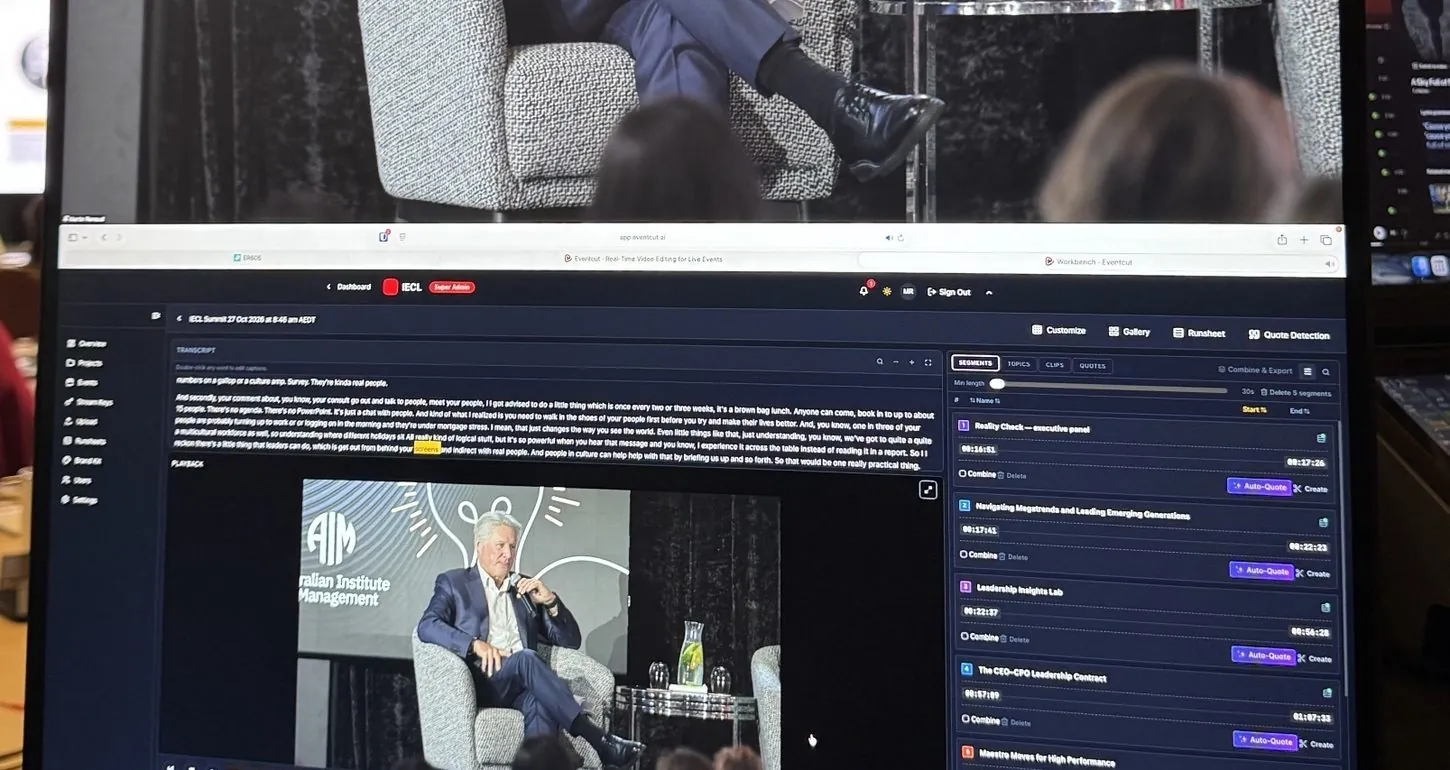
Same-day event video editing is the practice of turning live footage into finished, on-brand video while the event is still happening, or within hours of it wrapping. The output is not a raw recording. It is the same thing you would normally wait for: session videos, speaker clips, sponsor cut-downs and vertical videos for social, with your branding.
The distinction matters. "We recorded the event" and "we published the speaker clips the same afternoon" are two different outcomes. The first is an archive; the second is marketing that lands while attention is at its peak.
Expectations have shifted to match. A few years ago, same-day delivery felt like a nice extra. Now event teams are increasingly expected to deliver it.
Why speed changes the value of the content
A clip published the same day does work that the same clip published days later cannot.
- It rides live momentum. Attendees are already posting and tagging. A polished speaker clip joins that stream instead of chasing a conversation that has moved on. Scott Graffius's analysis of post half-life puts the average LinkedIn post at about 23 hours.
- It serves sponsors while it matters. Deliverables handed over during the event are worth more than a file that arrives after the invoice is paid.
- It supports the next event. Prospects see the energy in near real time rather than reading about it later.
- It turns one event into months of content. A two-day conference can feed social, email and your website for a quarter, but only if the footage becomes usable quickly.
The old way vs the new way
It helps to be honest about why the traditional model was slow. None of it was waste; it was the workflow.
The traditional path: cameras record, footage is offloaded to drives, drives are uploaded, an editor logs and assembles, branding is applied, revisions go back and forth, and the video emerges days later. CinemaViva, an event production agency, says a standard highlight reel typically takes three to five business days.
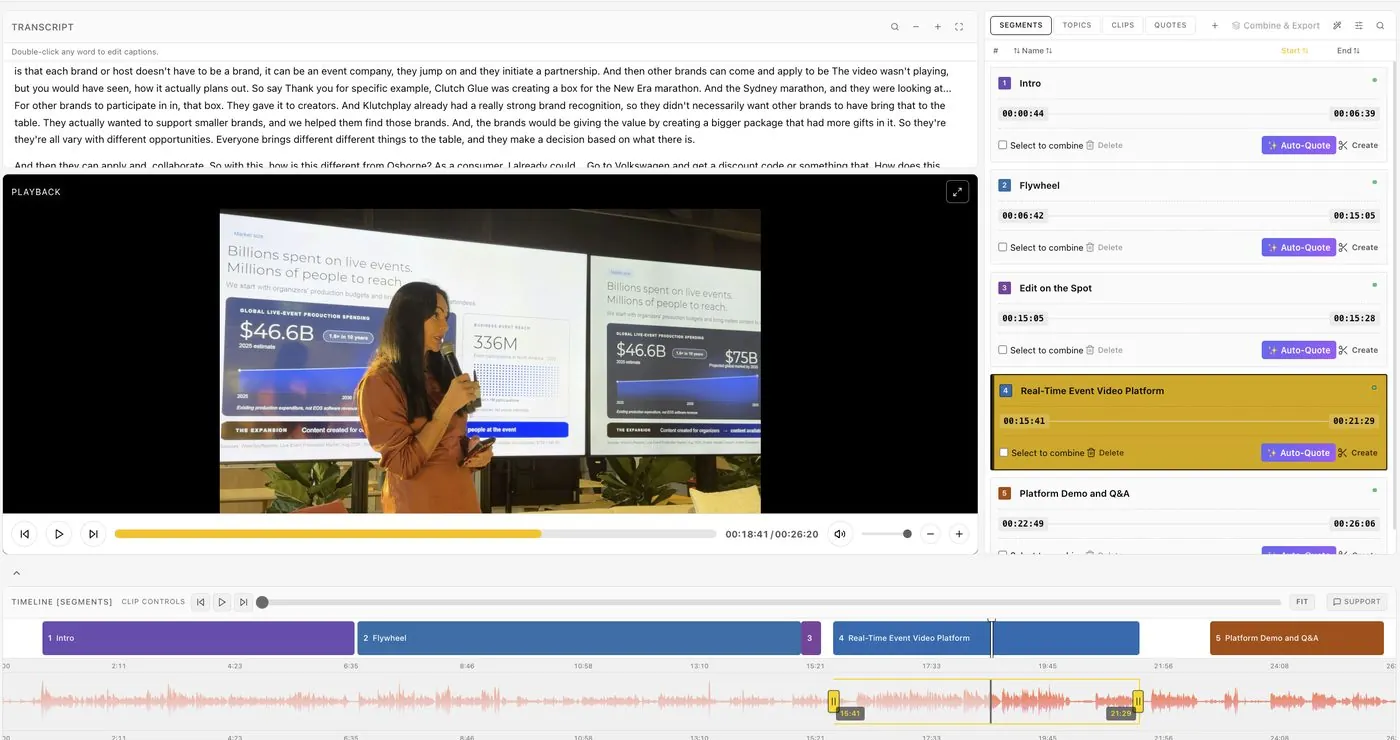
The same-day path: the session is processed as it streams, branding is applied from templates, and clips are ready to share within minutes. There is no offload-and-wait and no editing queue.
The deliverable is the same. What disappears is the gap in the middle.
How to get same-day video without an edit team
You do not need a post-production team. You need a workflow built for speed from the start.
1. Decide what you want before the event starts
Speed starts with a plan. Decide up front: one full video per session, two or three vertical clips per speaker, a package for each sponsor. Once you know the outputs, you can set up templates for them, and the footage drops straight in.
2. Set up your branding once
Think about what makes a clip look on-brand: intro and outro, logo, captions, title cards. Normally someone adds all of that by hand, clip by clip. Build it once as a Brand Kit before the event, and every clip comes out consistent.
3. Capture straight from the source
Most teams record to camera cards and deal with footage later. That is where the delay comes from. Instead, stream from the venue's encoder, whether that is OBS on a laptop or a hardware encoder in the control room. See how to get automatic clips from a vMix or OBS live stream.
4. Let the system find the sessions and moments
An editor normally watches everything to find the good parts. Let software do that part: find where each session starts and ends, name it from the runsheet, and suggest clips and quotes. Your job changes from building clips to reviewing them.
5. Share it on the spot
When a clip is ready, share a link or send it straight to its destination. Speakers can post their branded clip within minutes of walking off stage, and every share puts your event in front of their network.
What this looks like in practice
At SXSW Sydney, video that had previously taken three to four weeks to deliver was turned around the same day. Speaker highlights went out within hours of each session, while the rooms were still full and the conversation was live.
It scales in both directions. The same approach works for a single-camera meetup and for a multi-day conference across several rooms; only the number of streams changes.
Same-day event video editing with Eventcut
Eventcut connects to your live stream and edits, captions, brands and delivers session videos and social clips during the event. Sessions are named from your runsheet, clips under six minutes are reframed to vertical and square, and finished videos go cloud-to-cloud to YouTube, your storage or your speakers.
Our measured figure is 10 minutes from session end to published clip.
In short
Same-day event video is about removing the delay between capture and publish, so your best moments are still relevant when they go live. Plan your outputs, build your branding once, capture from the source and let automation do the heavy lifting.
Want to see a same-day workflow on your own event? Book a walkthrough, or see Eventcut Enterprise for multi-room programs. The guide to post-event video turnaround goes deeper on the workflow.